
Simple Meter Pro Details
Simple Meter upgraded with enhanced spectrum and stereo image for mixing and reference comparison.
Media
Simple Meter Pro
Simple Meter Pro is a stereo metering, loudness, and analyzer plugin for mix checking, reference matching, and final level decisions.
It gives you a clear view of your current signal while making it easy to compare against a reference track, stem, bus, or alternate mix. Use it as a standalone meter on one track, or link multiple instances so one window can show both your local OUT signal and a selected CUE reference.
With CUE Gain, you can level-match the reference from the main comparison window, helping you judge tone, loudness, dynamics, and stereo balance without constantly switching plugin windows or guessing by ear.
Built for Real Mix Decisions
- Compare your mix against reference tracks in real time
- Level-match references quickly from one control point
- Check peak level, average level, true peak, loudness, and dynamics
- Inspect stereo width, correlation, and mono compatibility
- Review loudness and dynamic range over time
- Compare tonal balance against a selected reference
- Keep the interface compact while expanding deeper analysis only when needed
Metering
Simple Meter Pro provides the core meters needed for everyday mix and master checks:
- PEAK
- RMS
- TRUE PEAK (BS.1770-4)
- LUFS
- PSR / Dynamic Range
RMS is presented as a calibrated average-level view, making visual level comparison easier during reference matching.
Adjustable loudness and dynamic range warning thresholds help you notice potential issues early and stay closer to your target range.
Reference Comparison
Simple Meter Pro can link multiple plugin instances for a practical CUE / OUT workflow.
Use one instance as the main comparison view, then select another instance as the CUE source. The main window shows the reference and your local signal side by side, while CUE Gain lets you adjust the reference level remotely for fairer comparisons.
Enable Monitor CUE when you want to audition the selected reference through the current instance output, then switch back to the local signal when you are ready to continue working.
Analyzer Workspace
When you need more detail, expand the analyzer workspace.
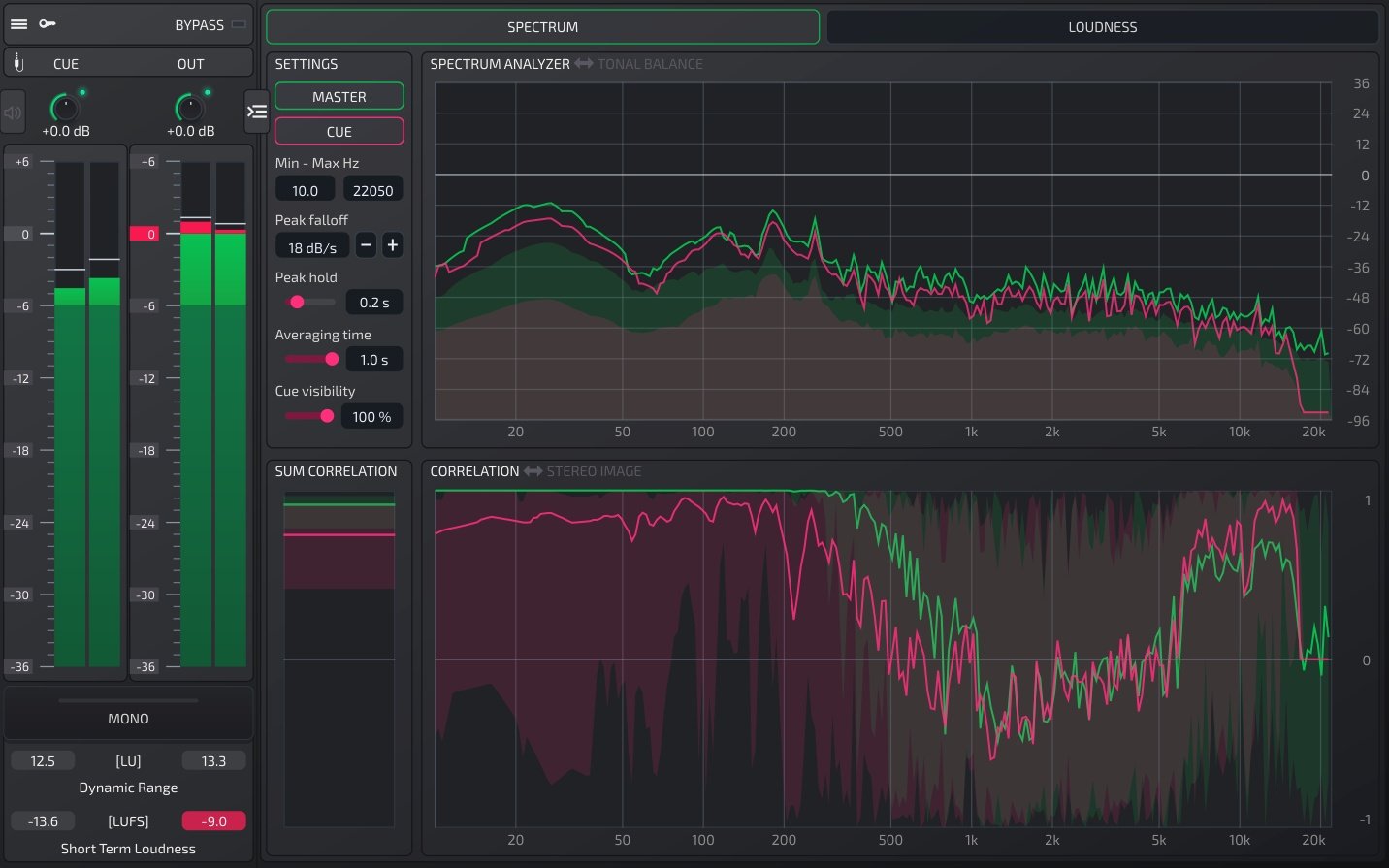
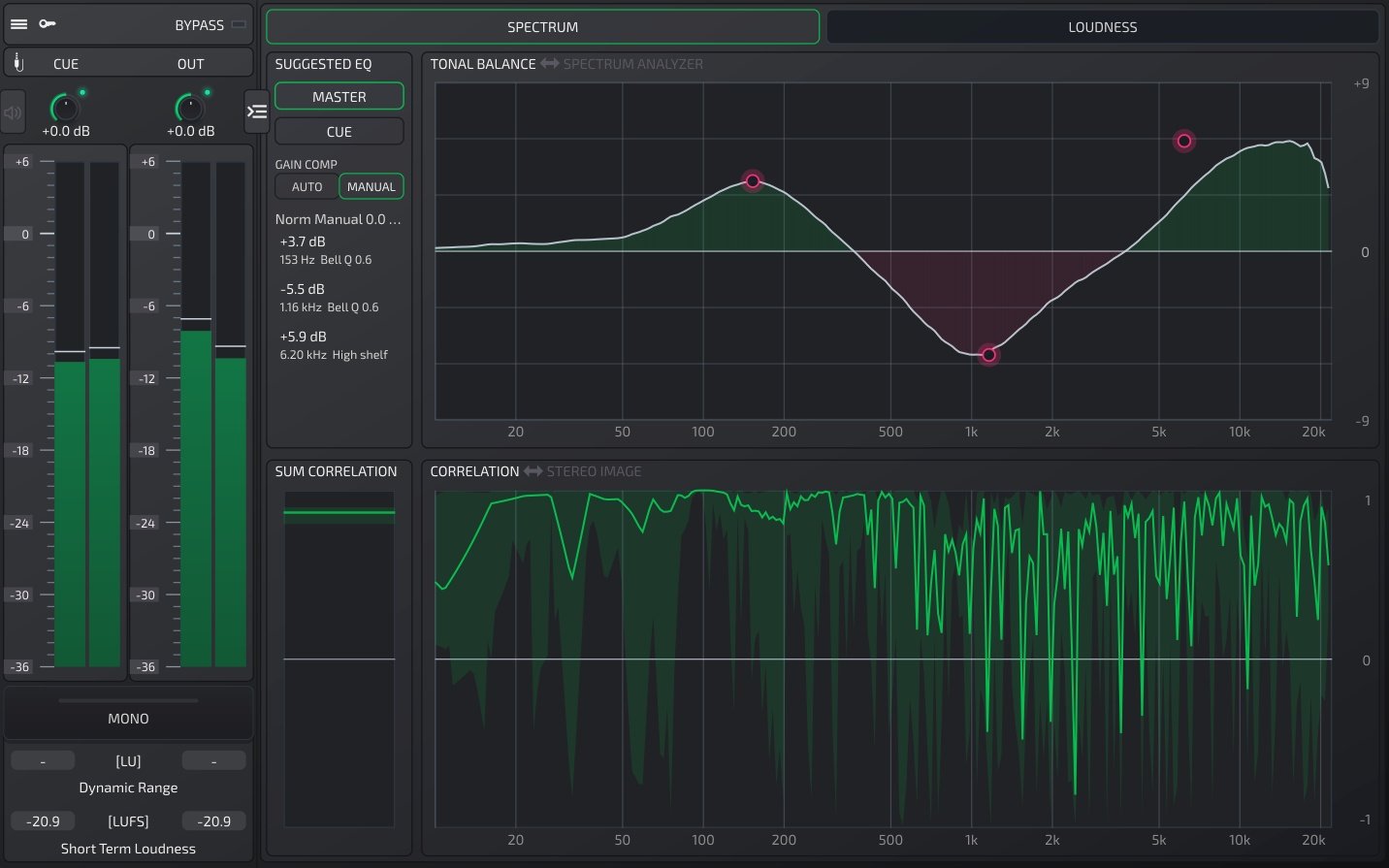
The Spectrum view helps you inspect frequency balance, stereo image, and correlation. You can show or hide Master and CUE traces, adjust the frequency range, smooth the analyzer response, hold peaks, and control CUE overlay visibility.
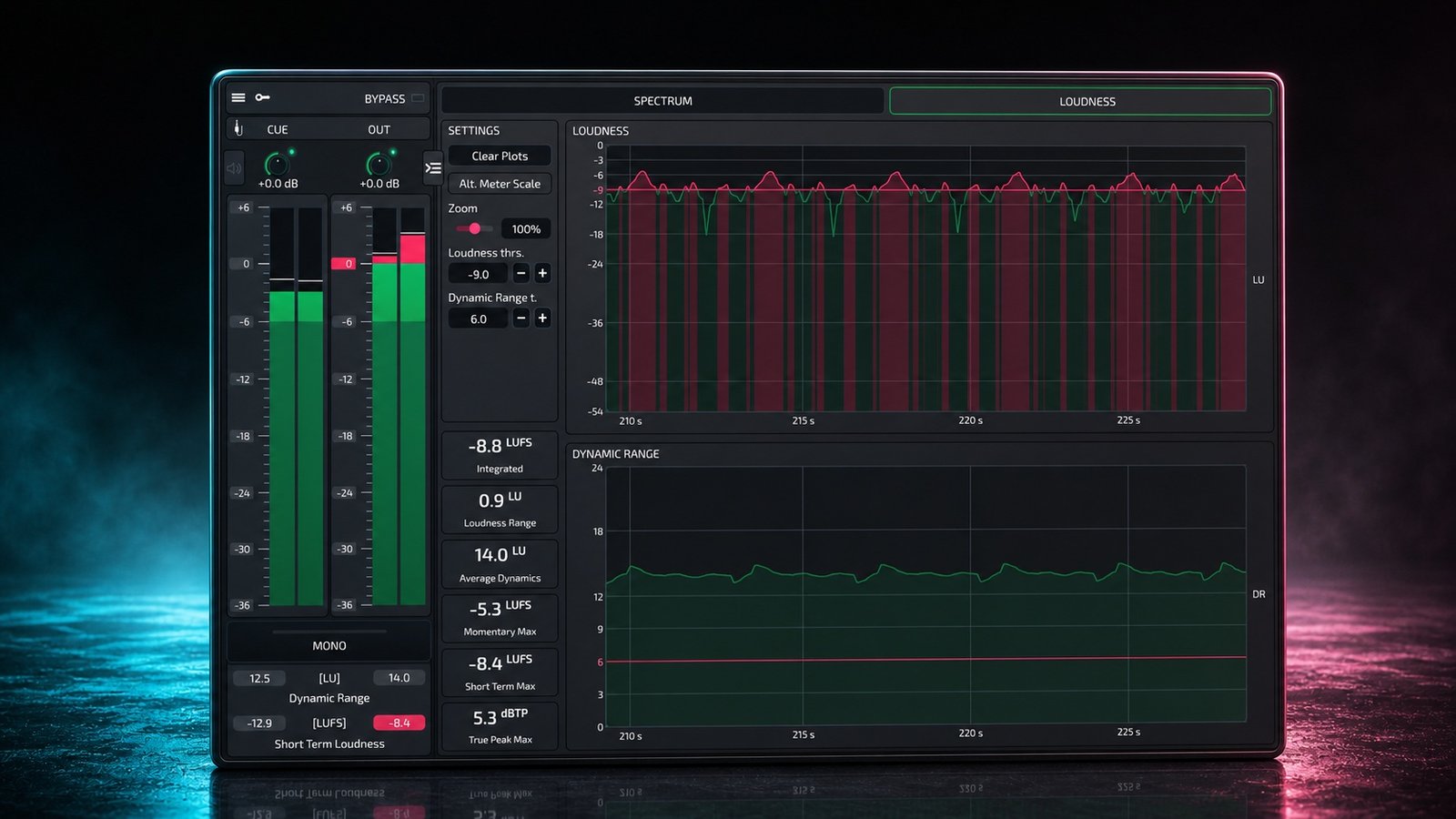
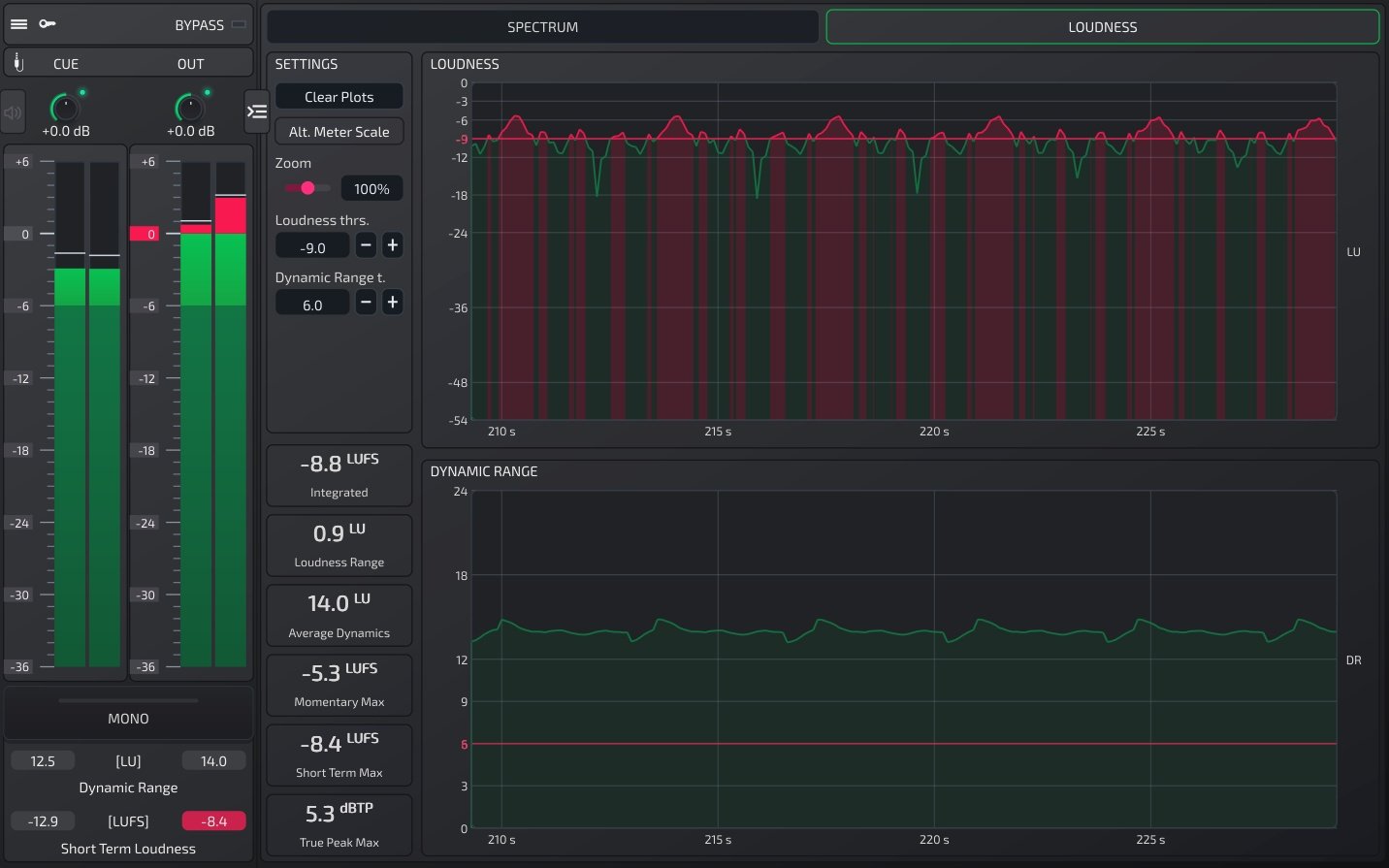
The Loudness view shows integrated loudness, loudness range, average dynamics, maximum momentary loudness, maximum short-term loudness, true peak maximum, and loudness/dynamic range history plots.
Tonal Balance
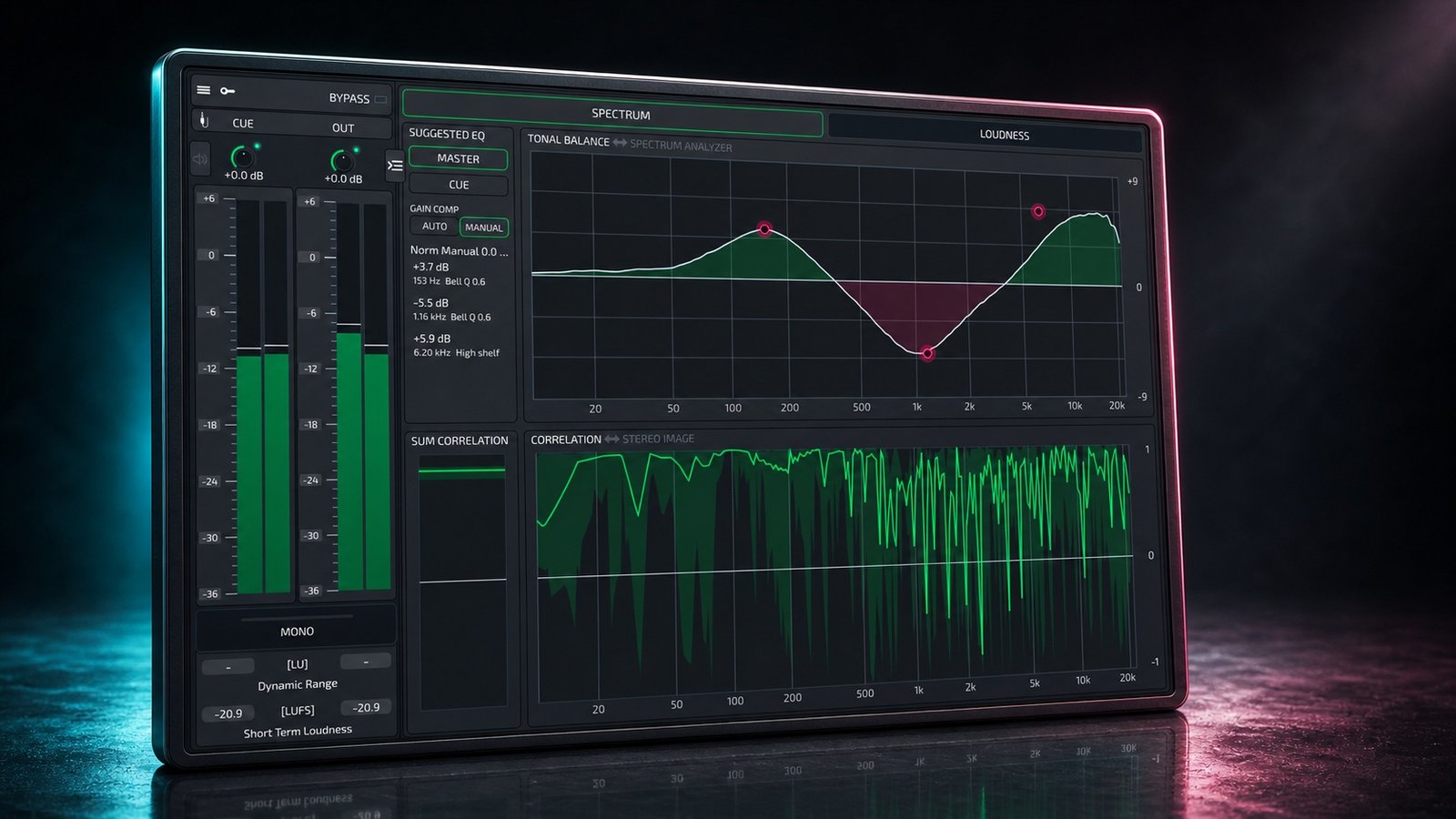
With an active CUE reference selected, the Tonal Balance analyzer shows how the reference differs from your master across the frequency spectrum.
The difference curve is loudness-normalized, so comparison is focused on tonal balance rather than simple level mismatch. Simple Meter Pro can also suggest up to four EQ moves based on the strongest detected tonal differences.
Typical Use Cases
- Mixing against commercial references
- Matching loudness between versions or references
- Checking a mix before mastering
- Reviewing a master before delivery
- Comparing stems, buses, alternate mixes, or revisions
- Checking stereo width and mono compatibility
- Spotting tonal balance differences against a reference track
System Requirements
Host
64-bit DAW
Format
CLAP, VST3, AU, AAX
Windows
Windows 10 1607+ x86_64
Mac
MacOS 12+ arm64, x86_64
Linux
Kernel 5.4 or newer, most modern Linux distro
Downloads
Windows Installer
MacOS Installer
Linux Package
User Manual